Map the current process, identify bottlenecks, and separate essential needs from noise.
How I work
From real problems to working software.
The focus is simple: understand the workflow, design around the people using it, and build tools that make the work easier to perform in the moment.
Shape interfaces around people, devices, timing, and decisions that matter during the workday.
Turn the idea into a working app with room for testing, feedback, and the next phase.
Selected project
Front Services
A configurable operations app concept for front-of-house teams, beginning with valet parking and expanding toward broader hospitality workflows.
What it does
Front Services helps teams sign in by role and tower, park vehicles, track active records, look up tickets, update spaces, message teammates, and manage authorized employees.
Role-basedValet, Bell, Door, Manager, Admin
Tower-awareT1, T2, T3 operational context
Voice entryFast dictated fields during intake
Admin toolsAuthorized employee setup and invites
Client demos should use sample data only. Operational testing data and working records stay separate.
Selected project
Signals
A stock-chart analysis tool that turns recent price history into a readable technical snapshot, with indicators and risk context.
Explore Signals
Review historical price trends, moving averages, RSI momentum, volume, volatility, and recent price levels. Signals explains what the chart shows while leaving investment decisions with you.
Price trends20-day and 50-day averages
Momentum14-day RSI context
Risk contextRecent volatility and ranges
EducationalDescriptive signals, not forecasts
Selected project
The Script Skillet
A free browser-based screenplay writing app for drafting, formatting, story beats, and scene organization.
Write your screenplay
Format screenplay elements automatically, develop connected story Beats, reorder scenes on the Card Board, focus on a character or location, and export PDF, Final Draft FDX, Fountain, text, or a Script Skillet file. Free to use, with no ads or sign-up.
Visual demo
App screens, shown as a workflow.
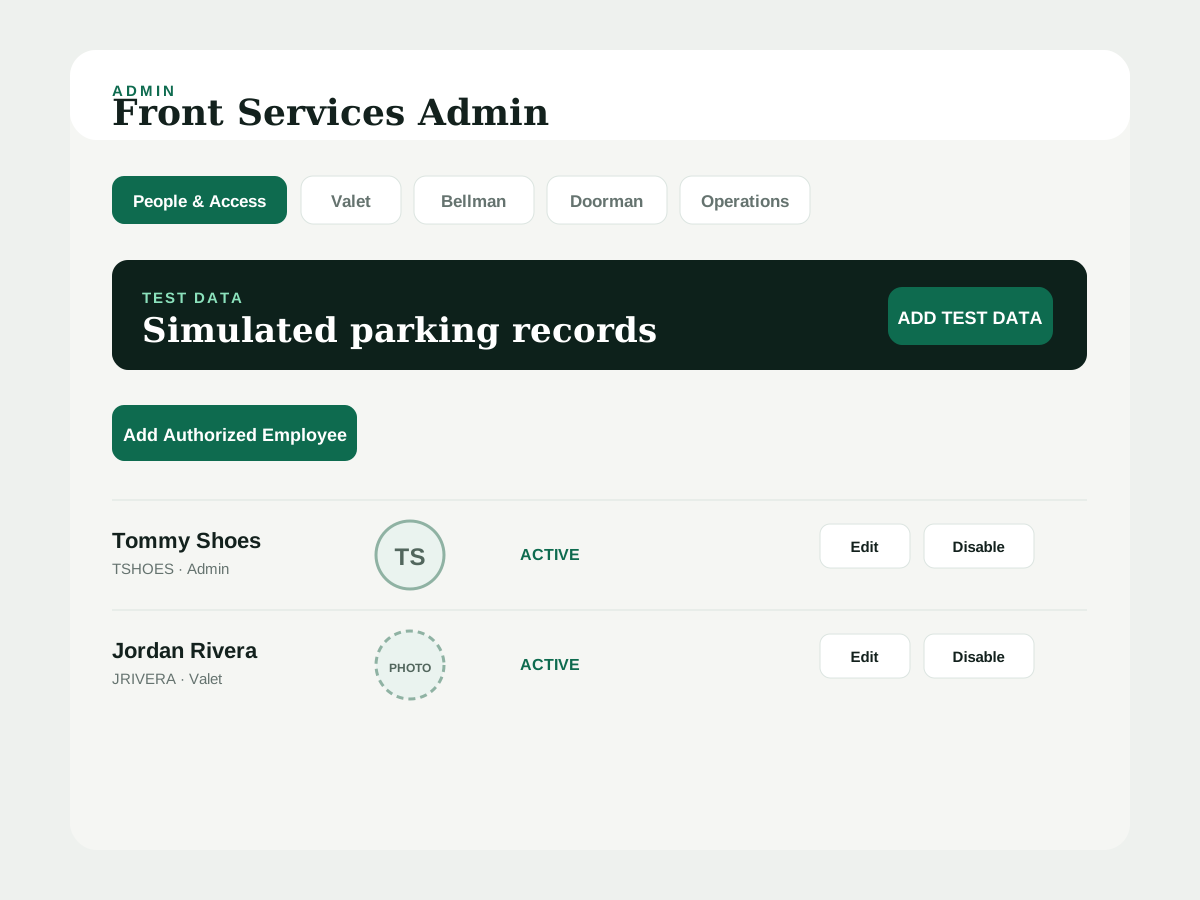
These panels show the current development interface patterns: sign-in, My Parks, vehicle intake, lookup, and admin access.
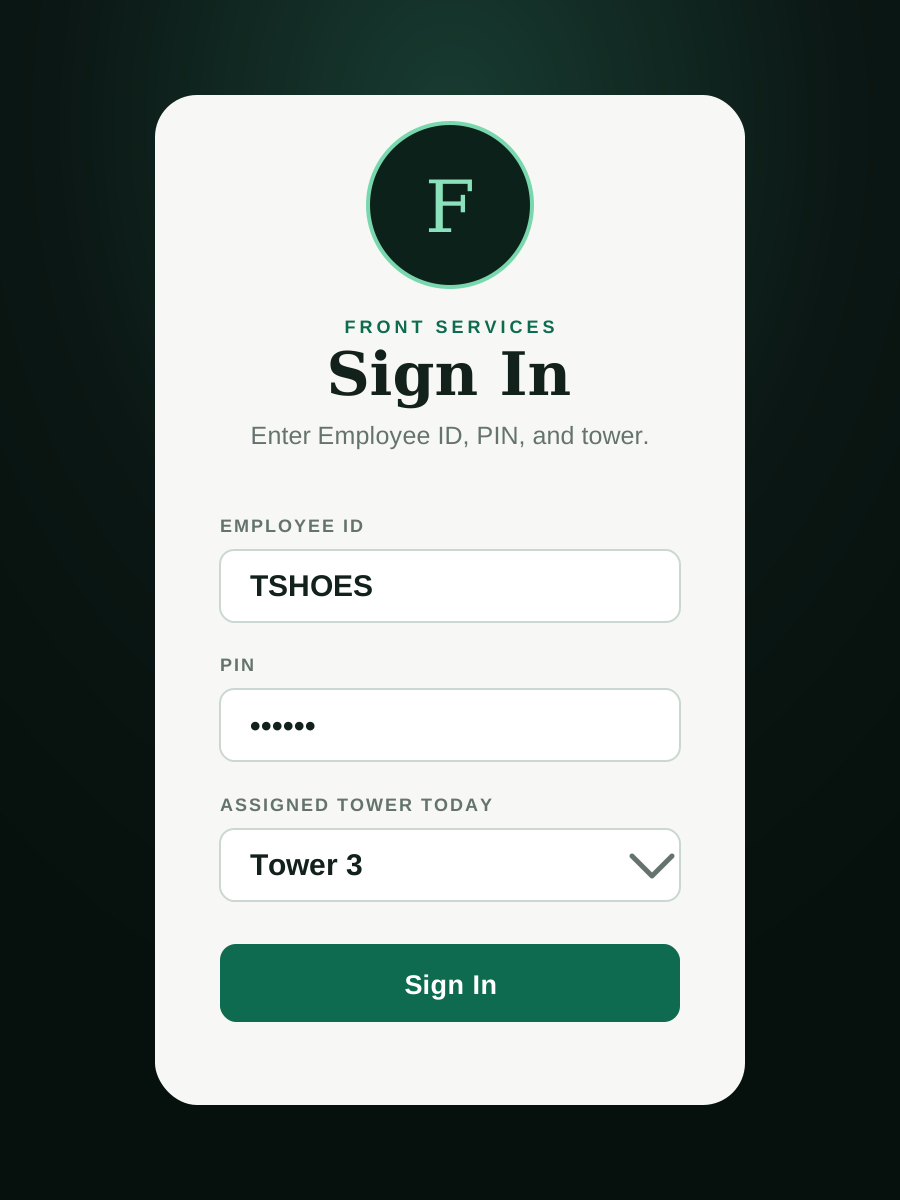
1. Sign in by employee, PIN, and tower
The tester starts with Employee ID, PIN, and assigned tower for the day.
Employee IDPINTower
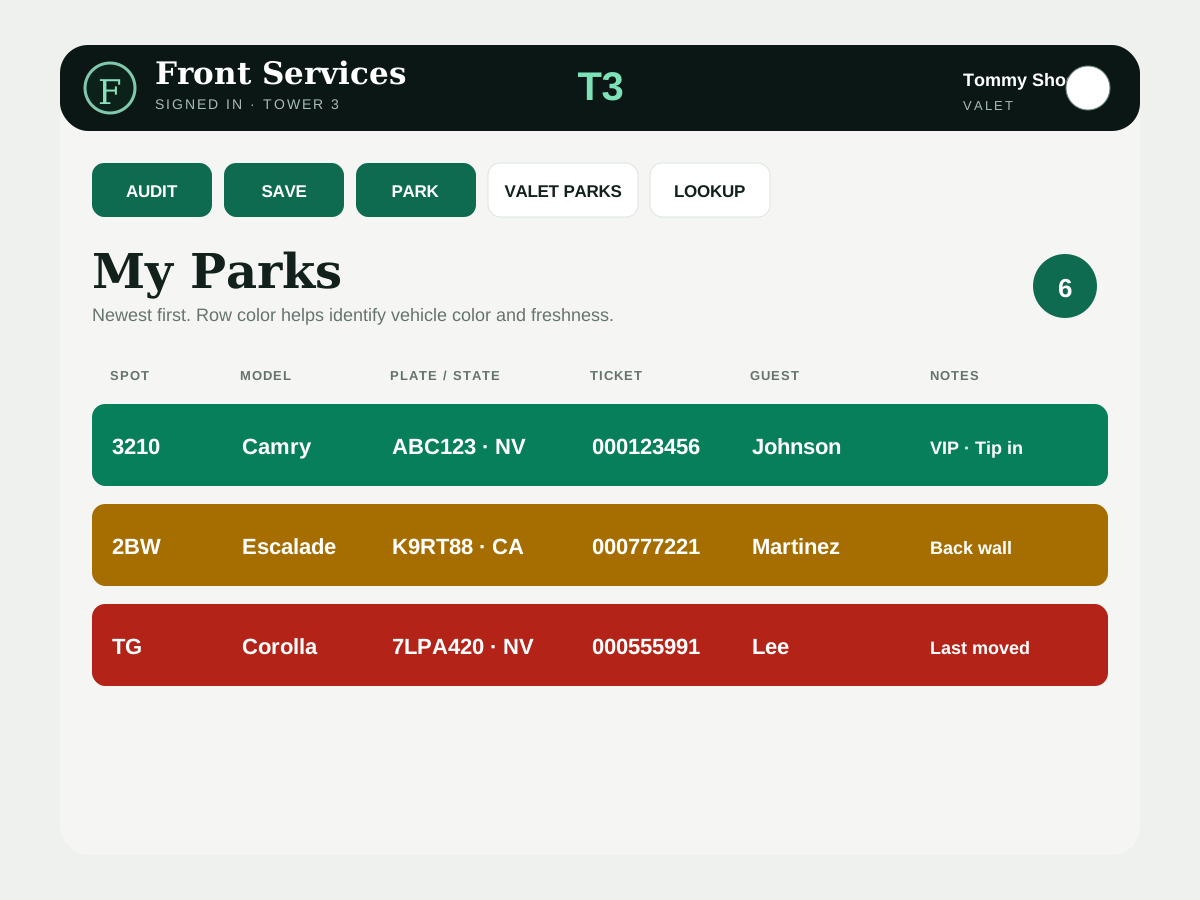
2. Work from My Parks
Active vehicles are visible in a compact row layout with spot, model, plate/state, ticket, guest, and notes.
Newest firstFreshness colorsQuick actions
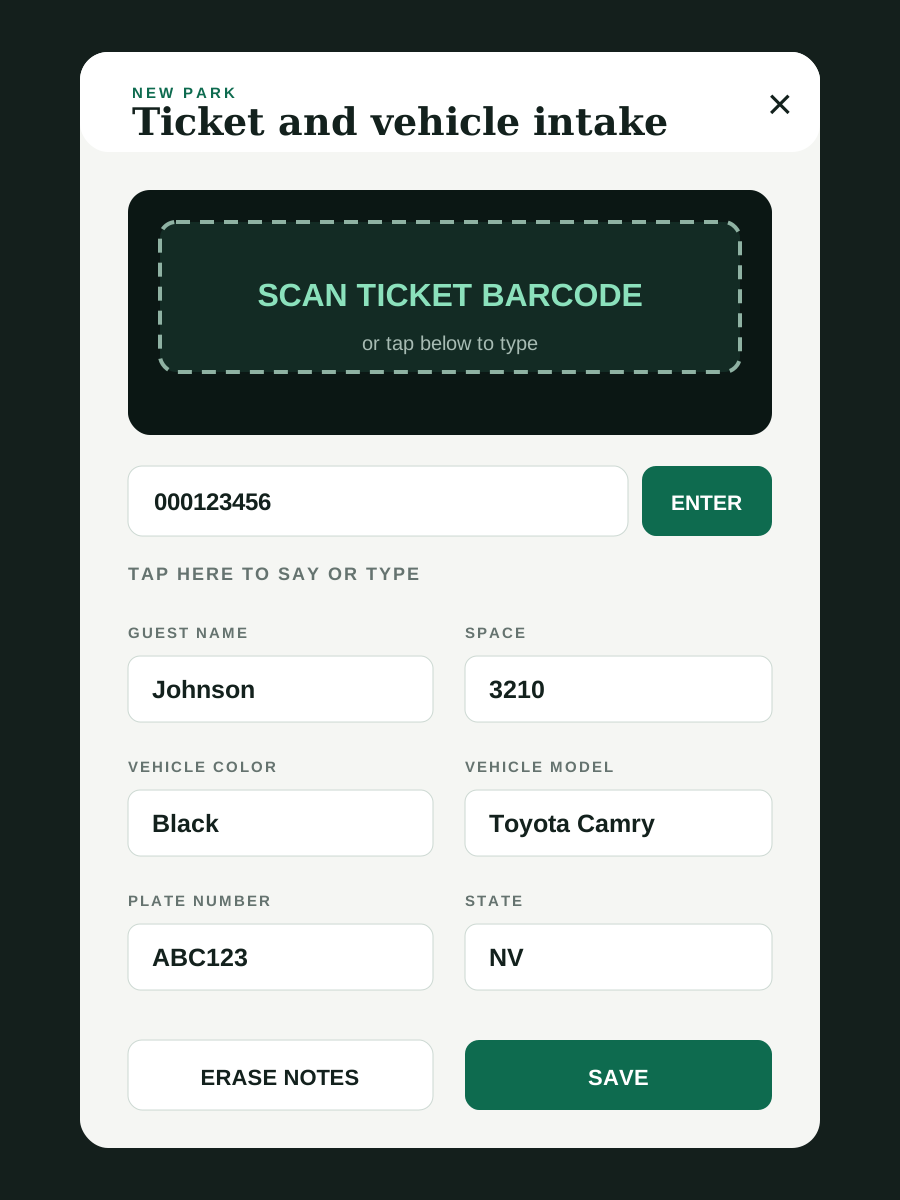
3. Park a vehicle
The intake screen collects ticket, guest, space, color, model, plate, state, notes, photos, and tags.
Ticket scanVoice entrySave record
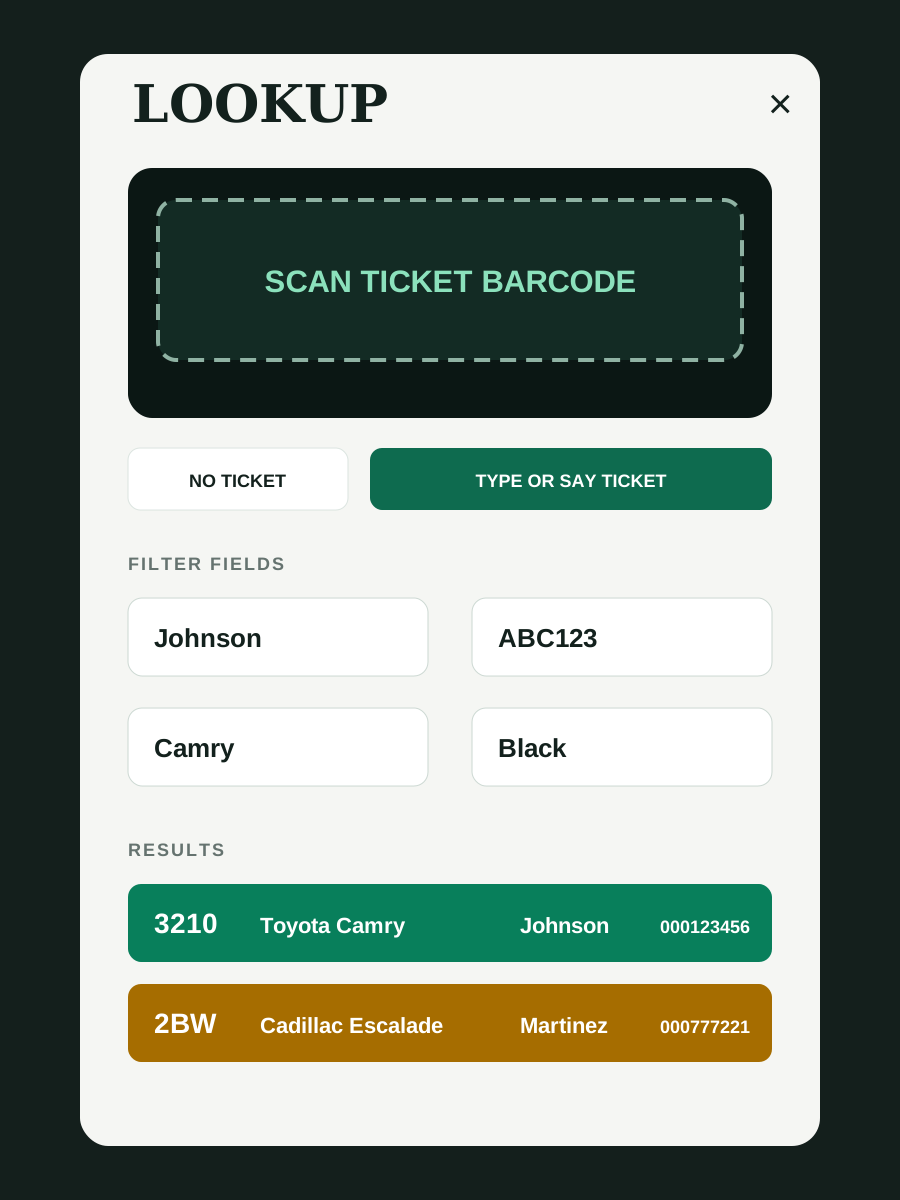
4. Lookup and retrieve
Lookup supports scanning, manual entry, no-ticket filters, and compact results for fast retrieval.
ScanNo ticketResults
5. Manage access
Admin users can manage people, roles, setup codes, active status, and operational tools.
People & accessSetup codesTest data
Tester guide
Manual and PDFs
The manual is built to be updated as the app changes. The web version and downloadable PDFs share the same content source.
Web manual
Best for phones and quick updates. Includes workflow diagrams, role guide, controls, and step-by-step instructions.
PDF downloads
Use the full PDF for training and the quick-start PDF as a short shift reference.
Start a conversation
Have a system that should work better?
I’m interested in practical software projects for small and medium-sized organizations, especially where better tools can make daily work clearer and more efficient.
Email Tommy